
Claude vs Breeze: we ran both on our own HubSpot. Both hit the same wall.


Claude and HubSpot’s Breeze Assistant found the same top problem in our own HubSpot portal: our sales pipeline wasn’t in the CRM. The reports came back with different tone, different coverage and a few different numbers.
Neither tool could fix that. No AI can analyze a deal nobody created.
If you’re thinking about pointing AI at your CRM, that’s worth knowing before you start.
The test
We gave both tools the same prompt, typed the way you’d actually type it. Breeze got it without the word “hubspot,” since it already lives inside HubSpot:
analyze our crm hubspot esp for useful insights and gaps for process, sales, etc. whatever you can find we can use to optimize our business
The setup took a minute each.
- Breeze: log into HubSpot, click Breeze Assistant in the top bar, paste the prompt. It thought for just over four minutes, asked one question about styling, and returned a formatted report.
- Claude: connect HubSpot through Claude’s HubSpot connector, inside a Claude Project that already holds our notes on clients and prospects. Paste the prompt.
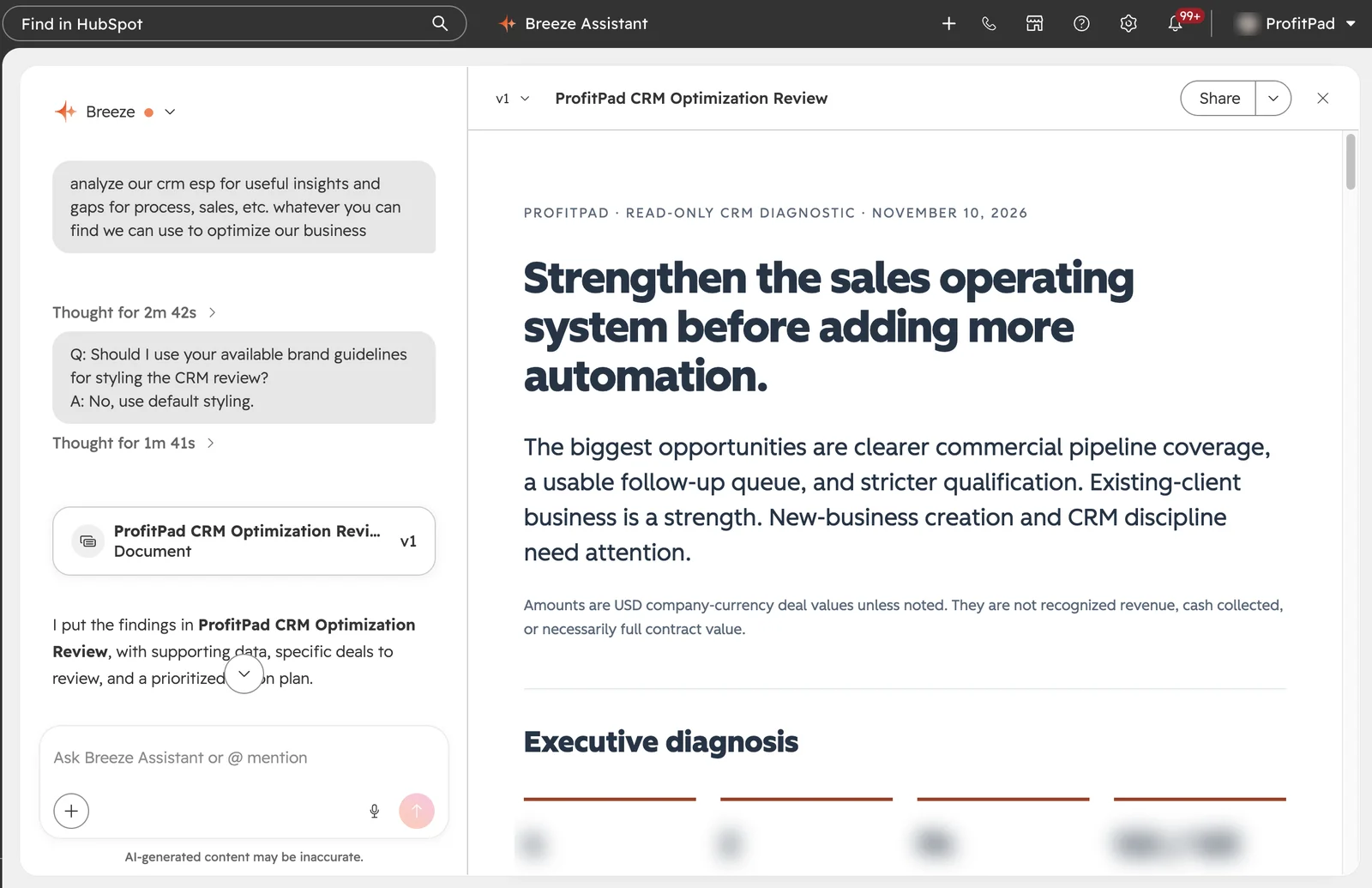
Both had read access to the same portal. We didn’t steer either one, and neither changed a record.
We set HubSpot up for owner-led sales teams for a living. So this was also a test of whether we run our own sales the way we tell clients to. We don’t, fully. That’s most of what follows.
Where they agreed
Both reports landed on the same five problems, even where they measured them differently.
- Almost no live pipeline. Four open deals in our sales pipeline, all expansions of existing clients. No new-client opportunity was open there.
- Deals created at the signature. The median time from deal created to deal won was a few days for new clients and zero for existing ones. The deal record started when the buying was already done.
- No idea where clients come from. 122 of 123 closed new-client deals had no source. The one source field we had described the delivery relationship. Nothing recorded how the client found us.
- Expansion carries the business. Breeze split the win rate: since January 2025, 57.7% of closed new-client deals were won, against 90.8% for work with existing clients. A blended win rate hides the weak side.
- Silence is the top loss reason. “Unresponsive” beat every other reason, including losing to a competitor.
Claude vs Breeze: where they differed
The biggest difference was what each tool could see. Breeze worked from the portal. Claude also had our project notes, so it knew which conversations were live.
| Claude | Breeze | |
|---|---|---|
| Context beyond HubSpot | Named three prospects with proposals or scoping underway and no deal in the CRM | Worked from portal data, so it flagged coverage as an open question rather than naming gaps |
| Coverage | Skipped tasks and lifecycle stages | Found 94 overdue tasks, 90 assigned to one person, and 5,787 companies marked sales qualified, 2,374 with no owner |
| Verification | Pulled invoices and called the drop real | Listed possible explanations and recommended checking invoices |
| Accuracy | Mixed one deal’s original currency with USD and overstated open pipeline until the comparison caught it | Reported the converted figure correctly |
| Caught what the other missed | A delivery backlog and partly paid projects hiding the drop in new bookings | Service opportunities sitting inside HubSpot license deal registrations |
| Style | One call, ranked actions, named records | Cautious by design, defined every metric and its limits |
The same finding, two ways
Both tools saw recorded wins fall off after June. Here’s how each one handled it.
Breeze:
This is a decline in recorded closed-won deal value, not a verified revenue decline. It could reflect workload, recording changes, project timing, or genuine commercial weakness.
Claude:
Paid invoices fell [about half] from Q2 to Q3. The decline is real, not a logging artifact.
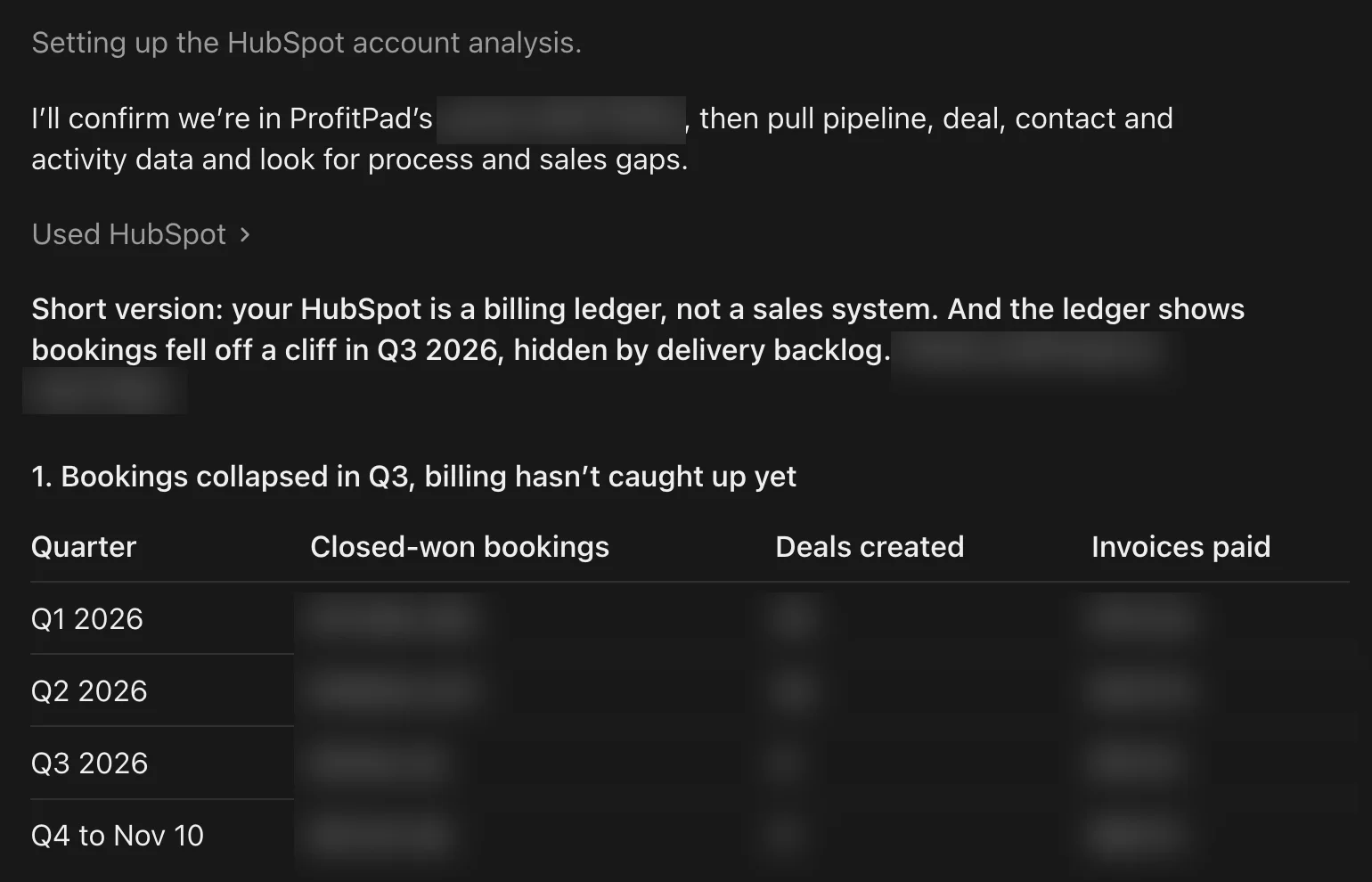
Breeze is right that CRM wins alone can’t prove a revenue drop. Claude went and got the second source. It turned “could be several things” into a problem we had to act on this quarter.
Which one you want depends on who’s reading. A careful list of possibilities is safer to hand a board. A call backed by a second source is what an owner needs on a Tuesday.
The part neither could fix
Every big finding was something we never recorded. Prospects with no deal. Wins with no source. Losses with no reason. Follow-ups that piled up into a 94-item backlog nobody could work.
AI reads what’s there. It can tell you the CRM is thin. It can’t tell you what happened in conversations that never made it in.
So both reports ended at the same place. Put every live opportunity in the CRM. Require a next step and a date on each one. Make the source a field someone has to fill. Reps have to use the system without thinking, or the data never shows up. Do that work before you point AI at the CRM.
Four tips if you try this
- Ask for amounts in your company currency. HubSpot stores each deal’s amount in that deal’s own currency. If you sell in more than one, ask the AI to use “Amount in company currency,” or totals will quietly mix dollars.
- Split new clients from existing ones before reading any rate. A strong expansion business can hide a weak acquisition one in a single blended number.
- Give the AI what HubSpot doesn’t hold. Notes on live prospects, sent proposals, call summaries. In Claude, a Project with those notes did this for us. Without it, the AI can only ask whether something is missing. How to connect Claude to HubSpot →
- Make it check the big claim against a second source. For anything that changes a decision, ask it to confirm against invoices, calendar or email before you act.
How we’d use each
Use both. Where they disagree is where to look.
- Breeze for coverage inside the portal. Tasks, lifecycle stages, missing fields, records in the wrong pipeline. It’s careful with definitions and stays inside what HubSpot holds.
- Claude when the answer needs context HubSpot doesn’t hold. Proposals, notes, email, and a call made instead of a list of possibilities. Check its numbers.
- Fix the recording first. Both tools are only as good as what your team puts in.
If your team works around HubSpot instead of in it, an AI audit will tell you the same thing it told us. We’ll show you where. Request your free HubSpot audit →
We drafted this post with Claude.
FAQ
Is Claude or Breeze better for a HubSpot audit?
Use both. On our portal, Breeze was more thorough inside HubSpot: overdue tasks, lifecycle stages, companies with no owner. Claude was stronger when the answer needed context HubSpot doesn’t hold, like proposals and invoices, and it made a call instead of listing possibilities. Where the two disagree is where to look first.
Can AI audit a HubSpot portal?
Yes. Both Claude and Breeze Assistant can read a portal and report on pipeline, lead sources, loss reasons and data gaps within minutes. Neither can see what was never recorded. If deals, sources and loss reasons aren’t in HubSpot, the audit can only tell you the CRM is thin.
How do I get accurate numbers from an AI HubSpot audit?
Ask for amounts in your company currency, split new clients from existing ones before reading any rate, and have the AI confirm any big claim against a second source like invoices. In our test, Claude mixed one deal’s original currency into a USD total until the comparison caught it.